

 (3,421 votes, average: 4.80 out of 5)
 Loading...
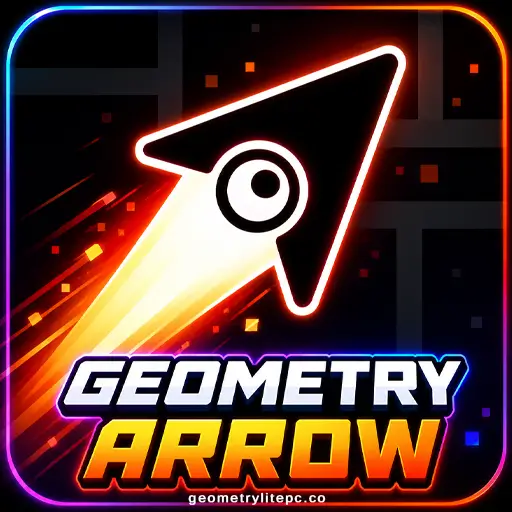






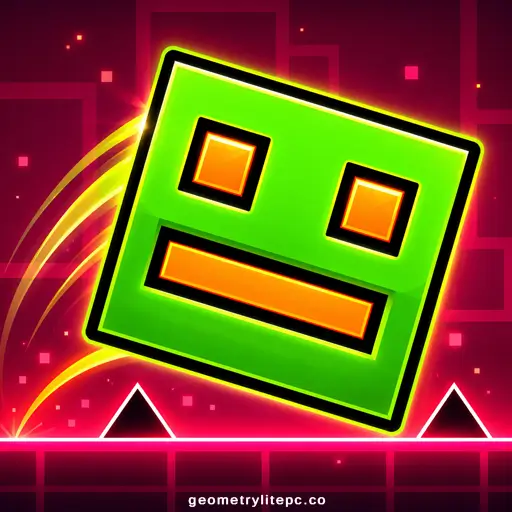







If you enjoy testing your reflexes, give Geometry Arrow a shot! This fast-paced skill game challenges you to navigate through six tricky levels filled with spikes and obstacles. It’s a great way to play online for free, with no download required, making it easy to jump right in. Perfect for quick gaming sessions, you’ll find yourself wanting to beat your best time as you dive and dodge your way to victory.

Geometry Arrow Quick Facts
| Developer | LeadtoChanges |
| Publishing Date | Not specified |
| Main Genre | Skill Game |
| Sub-Genre | Arcade |
| Platform | Web Browser (HTML5) |
| Input Method | Mouse, Keyboard |
| Multiplayer Mode | Single-player |
| Content Rating | Everyone / ESRB E |
| Tech Stack | HTML5, JavaScript, Canvas |
| Primary Language | English |
| Installation Required | No (Instant Play) |
Why Players Try Geometry Arrow
When you first jump into this game, you’ll quickly notice the fast-paced action and colorful geometric visuals that draw you in.
The core idea is simple: navigate a zigzagging arrow through increasingly tricky levels filled with obstacles like spikes and walls. Each level ramps up in difficulty, challenging your reflexes and timing as you try to avoid crashing. With six levels to conquer, you’ll find yourself working hard to improve your skills and beat your best times.
This game is perfect for anyone who enjoys a challenge and wants to test their quick thinking in a fun way.
Geometry Arrow Mechanics Explained
In this fast-paced game, players control a sleek triangular arrow, navigating through increasingly difficult levels filled with obstacles. The action is driven by quick reflexes, as the arrow constantly moves forward, requiring precise timing to dodge spikes and walls. Each level ramps up in speed and complexity, creating tension as players must stay focused to avoid crashing. Mastering the click-and-hold mechanics is key, allowing for strategic movement up and down in a zigzag pattern. With its adrenaline-pumping pace, every successful maneuver gives a satisfying rush that keeps players coming back for more.
Geometry Arrow Browser Play Details
You can play this game directly in your web browser on desktop, laptop, tablet, or mobile.
Getting Started With Geometry Arrow
Welcome to a super fun challenge! Your main goal is to help the arrow zoom through different levels without crashing into any obstacles. Each level has tricky spikes and walls, so you’ll need quick reflexes and good timing. Here’s how to get started:
- Jump right into the first level. It’s designed to be easy and will help you learn the basics.
- Watch out for obstacles as you move; they can pop up suddenly!
- Try to memorize the patterns of the spikes and walls. This will make it easier to dodge them next time.
- If you crash, don’t worry! Just keep practicing and try again.
- As you get better, move on to the next levels, which will be faster and more challenging.
Geometry Arrow Controls & Keybinds
The game is primarily controlled using mouse clicks and keyboard inputs.
- Click the left mouse button or press the Spacebar to move the arrow up.
- Release the button to make it dive down.
Geometry Arrow Strategy Notes
If you’re looking to improve your skills in this fast-paced platformer, here are some useful strategies to keep in mind:
- Learn the patterns: Each level has fixed layouts. Take time to observe and memorize the obstacle placements so you can navigate more smoothly.
- Stay calm under pressure: Some sections can get chaotic. Focus on maintaining your composure to react effectively to sudden changes.
- Practice early levels: Replaying the first few levels can help sharpen your reflexes and timing, making tougher challenges easier to handle later on.
- Use click-and-hold mechanics: Mastering how to click and hold will help you control your movements better, especially when navigating tight spots.
- Focus on timing: Since the arrow moves continuously, getting your timing right is crucial for dodging obstacles successfully.
Why Geometry Arrow Stands Out
This game has several features that make it fun and exciting for players of all skill levels.
- Unique Wave Mechanics: Players control an arrow that moves in a zigzag pattern, requiring quick reflexes to navigate through tight spaces and obstacles.
- Progressive Difficulty: With six levels, each one gets harder and tests your skills. Starting easy, it builds up to challenges that will push your limits.
- Precise Control: The simple controls allow you to click to move up or down, making the gameplay accessible while still challenging to master.
- Satisfying Accomplishments: Completing difficult sections provides a real sense of achievement, encouraging players to keep trying even after failures.
- Creative Level Design: Each level features unique obstacles like spikes and moving platforms that require memorization and strategy to overcome.
- Engaging Atmosphere: Atmospheric music enhances the gaming experience, making each run feel immersive and exciting.
Geometry Arrow Review: What Works Best
Geometry Arrow captivates players with its straightforward mechanics and escalating challenges. The core appeal lies in the satisfying blend of speed and precision as you navigate through increasingly difficult levels filled with obstacles.
- The zigzag movement mechanic keeps players engaged, requiring quick reflexes to maneuver through tight spaces.
- Each of the six levels presents distinct challenges, gradually ramping up the difficulty which helps players improve their skills progressively.
- Replaying earlier levels can be a useful strategy to practice timing and control before tackling tougher sections.
- The sense of accomplishment from completing a level after multiple attempts is a strong motivator to keep playing.
The Appeal of Geometry Arrow
If you’re someone who enjoys fast-paced challenges and has a knack for quick reflexes, this game might just be your new favorite. It’s perfect for those moments when you want to test your skills and push your limits, offering a satisfying blend of chaos and control. Whether you’re looking to unwind or in the mood for some serious gaming, it fits the bill.
However, be prepared for some tough levels; the difficulty ramps up quickly, which can be frustrating if you prefer a more laid-back gaming experience. But if you’re up for the challenge, you’ll find plenty of rewarding moments as you conquer each obstacle!
If You Love Geometry Arrow, Try These
If you want another fast browser challenge, try these related games from our collection.
- Geometry Dash
- Geometry Dash Deadlocked
- Geometry Rush
- Geometry Dash Monster
- Geometry Dash Classic
- Retro Dash
- Geometry Dash Lite 3D
- Geometry Platformer
- Geometry Open World
- Geometry Jump Bit by Bit
- Geometry Dash Hardcore
- Geometry Dash Lite
- Geometry Dash Unblocked
- Geometry Dash Scratch
- Geometry Dash SubZero
- Geometry Dash Spam
- Geometry Dash World
- Geometry Dash Meltdown
- Geometry Dash Wave
- Geometry Vibes
- Geometry Dash Breeze
- Geometry Dash Online
- Geometry Dash Bloodbath
- Geometry Dash 3D
- Geometry Dash 2.2
- Geometry Dash Full Version
- Geometry Dash Tidal Wave
- Geometry Dash PC
- Geometry Dash IO
- Geometry Jump
- 3Dash
- Geometry Dash Spider
- Geometry Dash Ship
For more picks in this style, browse our Geometry Games.
FAQs about Geometry Arrow
Is it free to play?
Yes, it is completely free to play. You can jump right into the game without any downloads or sign-ups.
What type of game is it?
It is a fast-paced skill game focused on navigating through challenging levels. Players control an arrow that must dodge obstacles while moving forward.
Are there many levels in the game?
Yes, there are six levels to complete. Each one gets progressively harder, testing your reflexes and timing.
How do you control the arrow?
You control the arrow by clicking and holding the left mouse button. This makes it move up or down in a zigzag pattern to avoid obstacles.
Is it suitable for beginners?
Yes, beginners can enjoy it! The first level is designed to help new players learn the basics before facing tougher challenges.
Does it require quick reflexes?
Yes, quick reflexes are essential to navigate through the tricky obstacles. Timing your movements is key to success.
Can you replay levels?
Yes, you can replay any level you want. This helps improve your skills and perfect your timing on tougher sections.
Aren’t some levels extremely difficult?
Yes, some levels are very challenging! The last level is particularly tough and designed for expert players who have mastered their skills.
Is there music in the game?
Yes, each level features unique atmospheric music that adds excitement to your gameplay experience.
Can you learn patterns in the game?
Yes, observing and memorizing patterns in each level can help you navigate obstacles more effectively during replay attempts.
Do you need to download anything to play?
No, there’s no need to download anything. Just access the game online and start playing instantly!
Is this game popular among players?
Yes, many players enjoy it for its fast-paced action and challenging gameplay. It has attracted a large number of fans since its release!
Why We Recommend Geometry Arrow
If you’re looking for a game that tests your reflexes, Geometry Arrow is a solid choice. With six levels that ramp up in speed and difficulty, it keeps you on your toes as you navigate through tricky obstacles. The straightforward controls make it easy to jump in, while the challenging gameplay offers plenty of room for improvement.
This game is perfect for anyone who enjoys fast-paced skill challenges. Whether you’re a beginner or looking to sharpen your skills, each level provides a satisfying sense of progression. Plus, the game’s vibrant visuals and engaging mechanics create an inviting atmosphere.