

 Loading...


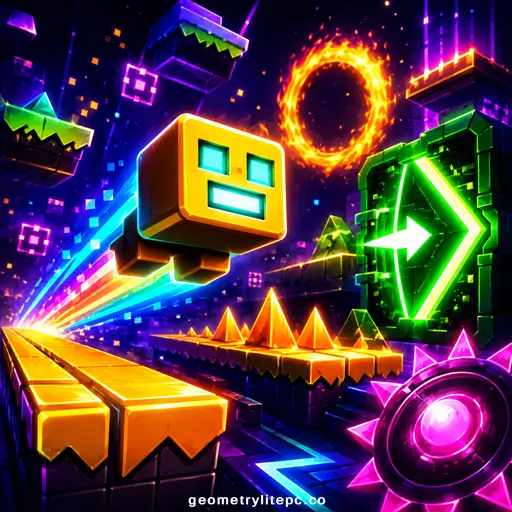
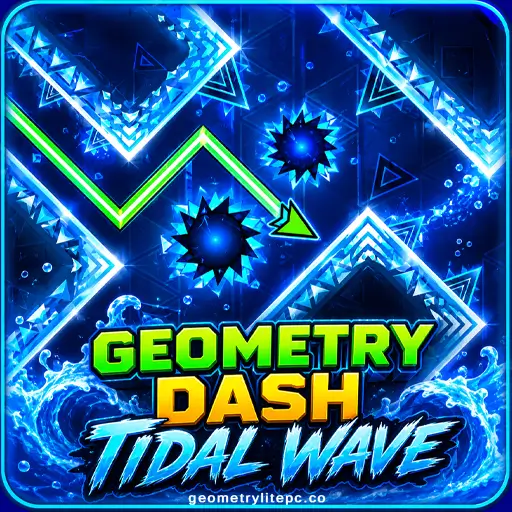
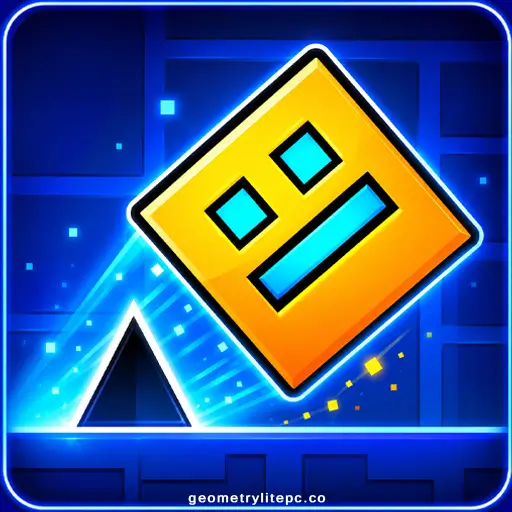
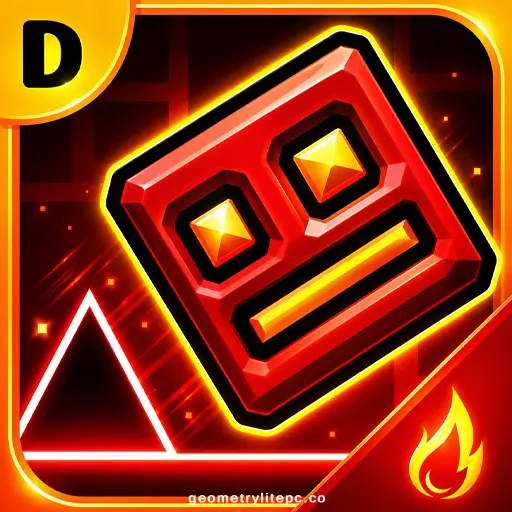
Geometry Dash is a fast rhythm platform game where every jump, flight, and mistake follows the beat. Control a small geometric icon, avoid spikes and traps, pass through portals, and try to reach the end of each level without crashing. You can play Geometry Dash online in your browser with simple one-touch controls, no installation required.
The game looks simple at first: tap, jump, survive. After a few attempts, the real challenge appears. You need timing, memory, rhythm, and calm hands to clear each section. That is why Geometry Dash is so addictive for players who enjoy skill games, music games, obstacle games, and hard platformers.
Geometry Dash Quick Facts
| Developer | RobTop Games |
| Creator | Robert Topala |
| Original Release Date | August 13, 2013 |
| PC / Steam Release | December 22, 2014 |
| Main Genre | Rhythm Platformer |
| Sub-Genre | Action, Arcade, Skill, Obstacle |
| Platform on This Page | Web Browser |
| Input Method | Mouse, Keyboard, Touch Screen |
| Game Mode | Single-player |
| Best For | Fans of timing games, hard platformers, music games, and one-button skill games |
| Installation Required | No, play instantly in the browser |
| Last Updated | July 29, 2026 |
What Is Geometry Dash?
Geometry Dash is a rhythm-based action platformer created by RobTop Games. You guide a cube and other geometric forms through dangerous levels filled with spikes, blocks, jump pads, portals, gravity changes, and fast-moving hazards. The character moves forward automatically, so your job is to jump or hold at exactly the right moment.
The main appeal is the mix of music and precision. A level is not only a platform challenge; it is also a memory and timing test. The more you replay, the more you learn where each jump, portal, and trap appears. A failed attempt usually sends you back to the start, but every restart makes the next run sharper.
This browser page is designed for instant play. It gives players a quick way to enjoy Geometry Dash-style gameplay online without downloading files. For the full official experience, players can also explore the official mobile and PC versions from RobTop Games.
How to Play Geometry Dash
The goal is simple: reach the end of the level without hitting obstacles. The hard part is timing every move while the level scrolls forward. Spikes, walls, jump rings, gravity portals, speed portals, and moving platforms can appear quickly, so you need to focus on the rhythm and memorize tricky patterns.
Controls
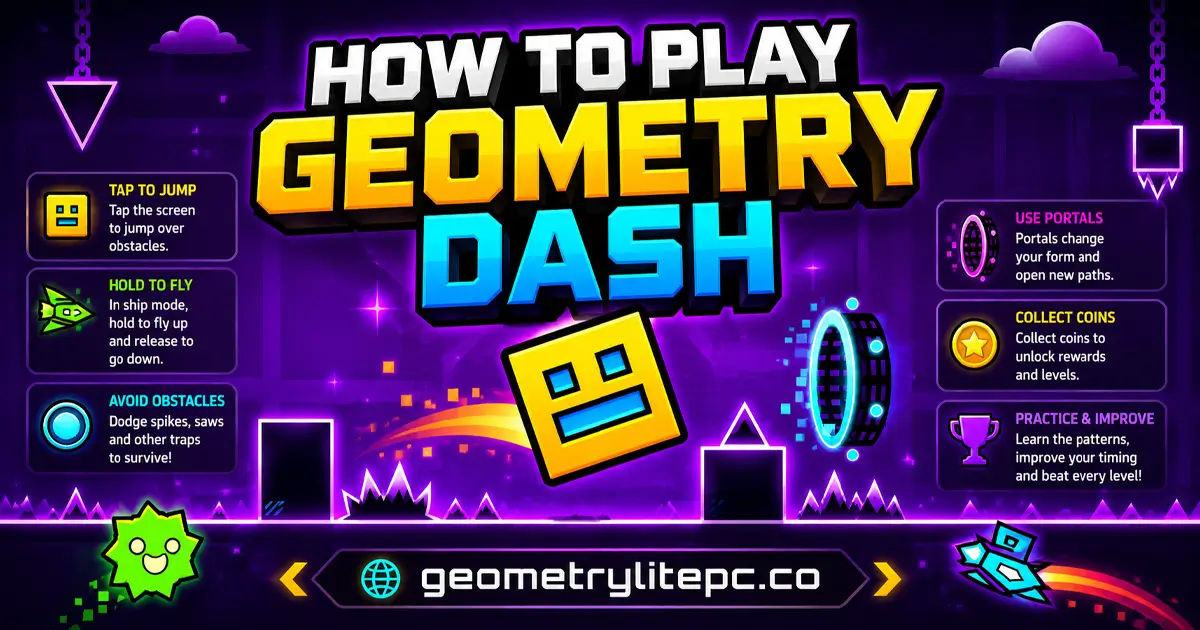
- Click the mouse, tap the screen, or press the spacebar to jump.
- Press the up arrow or W key if the version supports keyboard controls.
- Hold the button in ship, wave, or similar modes to move upward.
- Release the button to descend or return to normal movement.
- Use Practice Mode when available to repeat difficult sections with checkpoints.
Basic Rules
- Your character moves forward automatically.
- Touching spikes, blocks, walls, or other hazards ends the attempt.
- Portals can change your form, gravity, size, or speed.
- Jump pads and rings launch you when activated at the right time.
- Finishing a level often requires both reflexes and memorization.
Geometry Dash Game Modes and Transformations
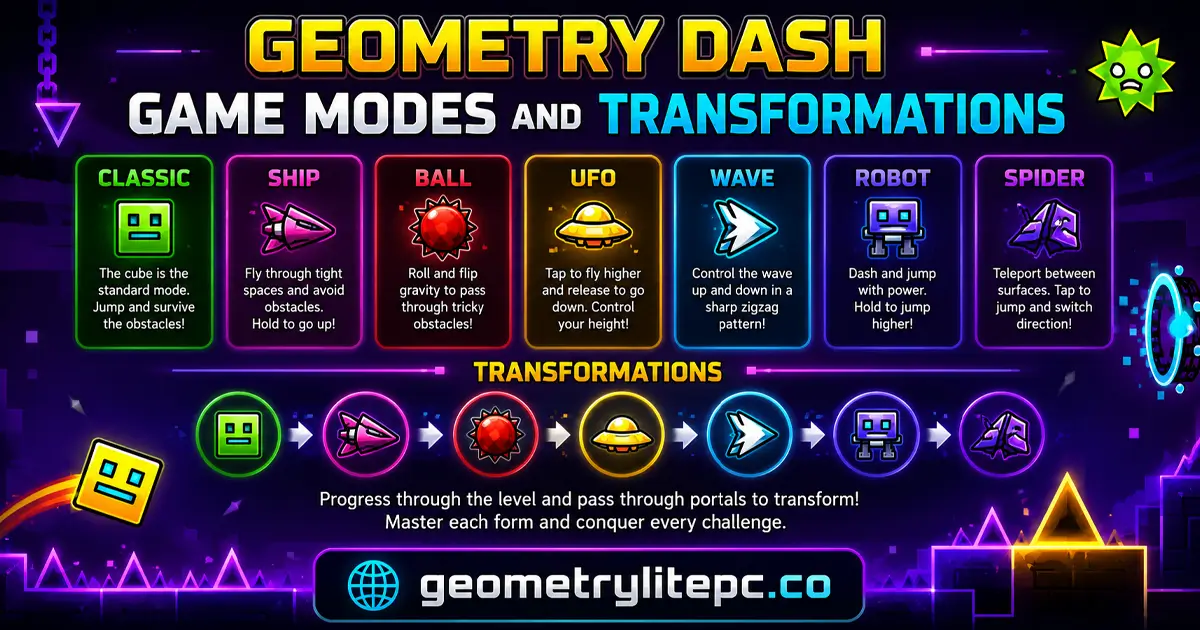
One reason Geometry Dash stays exciting is that your character does not always move the same way. Different portals transform the icon and change how the controls feel. Learning these forms helps you react faster and understand why some sections require tapping while others require holding.
| Form | How It Plays | Best Tip |
| Cube | Jumps over spikes and gaps. | Tap early enough to clear the obstacle, but avoid panic jumping. |
| Ship | Hold to fly up and release to fall. | Use small taps instead of long holds for smoother control. |
| Ball | Changes gravity with each input. | Watch the ceiling as much as the floor. |
| UFO | Performs short mid-air jumps. | Tap in rhythm and avoid overcorrecting. |
| Wave | Moves in sharp diagonal lines. | Use quick controlled taps for narrow tunnels. |
| Robot | Jump height depends on how long you hold. | Short holds are safer in tight sections. |
| Spider | Teleports between floor and ceiling. | React to the next surface, not only the current one. |
| Swing | Changes direction with each input. | Keep a steady rhythm and avoid late corrections. |
Geometry Dash Levels and Difficulty
Geometry Dash levels are built around rhythm, visual cues, and difficulty ratings. Easier levels teach basic timing, while harder levels require memorized patterns and precise inputs. If you are new, start with simple levels before trying Demon-style challenges.
Main Difficulty Types
- Auto: Levels that mostly play themselves.
- Easy: Good for learning jump timing and basic obstacles.
- Normal: Adds more hazards and faster decisions.
- Hard: Requires cleaner timing and better focus.
- Harder: Introduces tougher patterns and more portals.
- Insane: Fast, demanding, and punishing.
- Demon: The hardest category, made for skilled players who know the game well.
Popular Official Level Names
Many players search for specific Geometry Dash levels because each one has its own music, layout, and difficulty style. Well-known level names include Stereo Madness, Back on Track, Polargeist, Dry Out, Base After Base, Can't Let Go, Jumper, Time Machine, Cycles, xStep, Clutterfunk, Theory of Everything, Electroman Adventures, Clubstep, Electrodynamix, Hexagon Force, Blast Processing, Theory of Everything 2, Geometrical Dominator, Deadlocked, and Fingerdash.
Tips to Improve at Geometry Dash
Geometry Dash rewards patience. If you try to force a level without learning the rhythm, you will crash in the same places again and again. Use each failed attempt as information: where did you jump late, where did you jump early, and which portal changed your movement?
- Start with easier levels: Build control before chasing hard or Demon levels.
- Use Practice Mode: Repeat one difficult section until the pattern feels natural.
- Listen to the music: Many jumps line up with beats, drops, or rhythm changes.
- Memorize portals: A portal can change gravity, speed, size, or form instantly.
- Use small inputs: Overholding is a common reason players crash in ship and wave sections.
- Ignore coins at first: Clear the level before trying harder secret coin routes.
- Take short breaks: Tired hands and frustration make timing worse.
Main Features of Geometry Dash
- Rhythm-based action: Obstacles and movement patterns feel connected to the soundtrack.
- Simple controls: One-touch gameplay makes it easy to start and hard to master.
- Multiple forms: Cube, ship, ball, UFO, wave, robot, spider, and other forms change the challenge.
- Practice Mode: Checkpoints help players learn difficult sections.
- Secret coins: Hidden routes give skilled players extra goals.
- Unlockable icons and colors: Players can customize their character in supported versions.
- Community levels: The full game includes a large creative community with custom levels.
- Fast restarts: Quick retries keep the game intense and addictive.
Why Geometry Dash Is So Addictive
Geometry Dash works because every attempt feels fair. When you crash, you usually know why. Maybe you jumped too early, missed a beat, forgot a gravity portal, or held too long in ship mode. That clear feedback makes players want one more try.
The music also helps. Instead of feeling like random obstacles, the best sections feel like a rhythm puzzle. Once you learn the timing, a level that looked impossible can suddenly feel smooth and satisfying.
Geometry Dash Lite vs Geometry Dash Full Version
Many players search for Geometry Dash Lite, Geometry Dash online, and Geometry Dash full version because they want to know which version to play. The short answer: Lite is best for quick free play and learning the basics, while the full version is best for official levels, deeper progression, customization, and community-created content.
| Feature | Geometry Dash Lite | Geometry Dash Full Version |
| Price | Free on supported platforms | Paid official game |
| Levels | Limited official selection | Full official level list |
| Level Editor | Limited or unavailable | Available in the full version |
| Community Levels | Limited access | Large library of user-created levels |
| Customization | Basic unlocks | More icons, colors, rewards, and progression |
| Best For | Beginners and instant play | Dedicated players who want the complete game |
Geometry Dash Spin-Offs
The Geometry Dash series has several well-known spin-offs and related versions. These are important for players because they offer new songs, new level styles, and different challenge pacing while keeping the same core idea: jump, fly, dodge, and follow the music.
- Geometry Dash Lite: A free entry point with a limited selection of levels.
- Geometry Dash Meltdown: A fiery spin-off with short, energetic levels.
- Geometry Dash World: A fast spin-off with short worlds, rewards, and quick challenges.
- Geometry Dash SubZero: A modern-looking spin-off with intense music and sharper effects.
- Geometry Dash Scratch: A fan-created Scratch-style version often searched by players who like browser experiments.
Browser Play: No Download Needed
You can play this Geometry Dash page directly in a modern browser. For the smoothest experience, use Chrome, Edge, Firefox, or Safari, close heavy background tabs, and play with a keyboard or a responsive touchscreen. If the game feels delayed, refresh the page, check your internet connection, or switch to a desktop device for more precise timing.
Pros and Cons
| Pros | Cons |
| Easy one-touch controls | Hard levels can frustrate beginners |
| Fast, replayable gameplay | Some versions have limited features compared with the full game |
| Great for short gaming sessions | Precision timing can be harder on slow devices |
| Music helps players learn timing | Flashing visuals may not suit every player |
| Many related versions and spin-offs to explore | Community and editor features depend on the version being played |
Games Like Geometry Dash
If you enjoy Geometry Dash, try these playable games and related versions on GeometryLitePC. They all fit the same audience: players who like rhythm platformers, fast obstacle courses, geometric worlds, hard levels, and quick-restart skill challenges.
Top Similar Games
- Geometry Dash Lite - A lighter free version that introduces the core jump-and-dodge gameplay.
- Geometry Dash Unblocked - A high-intent version for players who want instant browser access.
- Geometry Dash Scratch - A Scratch-style version popular with players looking for creative browser variants.
- Geometry Dash SubZero - A fast spin-off with intense levels, music, and visual effects.
- Geometry Dash Spam - A rapid-tap challenge focused on speed, accuracy, and reaction time.
- Geometry Arrow - A precise obstacle game built around arrow-style movement and tight control.
- Geometry Dash World - A quick-play spin-off with short levels and classic Geometry Dash rhythm.
- Geometry Dash Meltdown - A fiery version with energetic music and compact challenges.
- Geometry Dash Wave - Focuses on the wave form, narrow tunnels, and zigzag precision.
- Geometry Vibes - A rhythm and reflex game that matches the geometric obstacle style.
- Geometry Dash Breeze - A useful long-tail page with lower keyword difficulty and beginner-friendly intent.
- Geometry Dash Online - A natural internal link for players searching for browser play.
- Geometry Dash Bloodbath - A hard-level page for players looking for extreme challenges.
- Geometry Dash 3D - A 3D-style variant for players who want a different visual angle.
- Geometry Dash 2.2 - Targets update-related search intent from dedicated fans.
- Geometry Dash Full Version - Useful for comparison and completion-focused searches.
- Geometry Dash Tidal Wave - A hard-level page connected to Demon and extreme-level interest.
- Geometry Dash PC - Targets players who prefer desktop controls and smooth gameplay.
- Geometry Dash IO - A browser-style page for players searching IO variants.
- Geometry Jump - A simple jumping game that matches the obstacle-platformer audience.
- 3Dash - A 3D platform challenge with Geometry Dash-style timing.
- Geometry Dash Spider - Highlights spider-form movement and gravity switching.
- Geometry Dash Ship - A ship-control challenge for players who like flying sections.
- Geometry Dash Deadlocked - A strong internal page for players searching one of the most famous official levels.
More Playable Geometry Games
- Geometry Rush - A fast reflex game that fits the same quick-restart audience.
- Geometry Dash Monster - A monster-themed variant for players who like visual twists.
- Geometry Dash Classic - A nostalgia-focused page for the original-style experience.
- Retro Dash - A retro-styled dash game with arcade rhythm appeal.
- Geometry Dash Lite 3D - A long-tail 3D page with low competition potential.
- Geometry Platformer - A broad supporting page for geometric platform gameplay.
- Geometry Open World - A supporting page for exploration-style geometry game searches.
- Geometry Jump Bit by Bit - A long-tail jump challenge page for deeper internal linking.
- Geometry Dash Hardcore - A hard-mode page for players seeking precision challenges.
For a wider collection, browse our Geometry Games category.
Geometry Dash Guides
If you want help beyond playing, these guides explain popular Geometry Dash searches such as Demon levels, codes, icons, difficulty faces, downloads, and mod tools.
- Geometry Dash Demon List
- Hardest Geometry Dash Level
- Geometry Dash Codes
- Geometry Dash Vault of Secrets Codes
- Geometry Dash Icons
- Geometry Dash Difficulty Faces
- Geometry Dash Download
- Geode Geometry Dash
FAQs about Geometry Dash
Is Geometry Dash free to play online?
You can play a browser version online for free on this page. The official full version from RobTop Games is a paid game on supported platforms, while Geometry Dash Lite is the free entry version.
Can I play Geometry Dash without downloading?
Yes. This page is designed for instant browser play, so you can start without installing anything. For the complete official experience, players can use the official mobile or PC versions.
Who made Geometry Dash?
Geometry Dash was created by Robert Topala and published by RobTop Games.
When did Geometry Dash come out?
The original mobile game was released in August 2013. The PC / Steam version followed in December 2014.
What type of game is Geometry Dash?
It is a rhythm-based action platformer. The player controls a geometric character through music-synced obstacle levels.
What are the controls?
Use a mouse click, screen tap, spacebar, up arrow, or W key depending on the version. In flying modes, hold to rise and release to descend.
Why is Geometry Dash so hard?
The game combines speed, rhythm, memorization, and precision. Later levels require players to learn obstacle patterns and react with very accurate timing.
What is Practice Mode?
Practice Mode lets players use checkpoints to repeat hard sections. It is one of the best ways to learn difficult levels without restarting from the beginning every time.
What are secret coins?
Secret coins are hidden collectibles placed in harder routes. Collecting them gives skilled players extra goals and can unlock rewards in supported versions.
What are Demon levels?
Demon levels are the hardest difficulty category in Geometry Dash. They usually require strong timing, memorization, and many practice attempts.
Is Geometry Dash good for beginners?
Yes, but beginners should start with easier levels and avoid hard or Demon levels at first. The controls are simple, but mastery takes practice.
What is the difference between Geometry Dash Lite and the full version?
Geometry Dash Lite is a free version with limited content. The full version includes more levels, deeper progression, the level editor, and broader community content.
Can I create my own levels?
The full version includes a level editor. Browser versions may not include the editor or online sharing features.
Does Geometry Dash work on mobile?
Official mobile versions are available on supported app stores. This browser page may also work on mobile devices, but desktop controls can feel more precise.
What are the best games like Geometry Dash?
The closest games and variants include Geometry Dash Lite, Geometry Dash SubZero, Geometry Dash World, Geometry Dash Meltdown, Geometry Dash Scratch, Geometry Dash Spam, Geometry Arrow, Geometry Vibes, Geometry Dash Wave, Geometry Dash Breeze, Geometry Jump, and 3Dash.
The Bottom Line on Geometry Dash
Geometry Dash is one of the strongest rhythm platform games because it is easy to understand, fast to replay, and difficult to master. The simple controls make it accessible, but the music-synced obstacles, portals, transformations, and difficulty levels give it long-term challenge.
If you want a quick browser game that tests timing, reflexes, memory, and patience, Geometry Dash is a perfect choice. Start with easier levels, learn the rhythm, use Practice Mode when available, and then explore similar games like Geometry Dash SubZero, Geometry Dash World, Geometry Dash Scratch, Geometry Dash Spam, Geometry Vibes, and 3Dash.